

LabNote 08Rendering

The glow costs more than the words

In note 01 we took the browser out of video export. Then we had to switch the new renderer off. This is what we found when we came back, what it changed for people exporting videos, and the part we are keeping to ourselves.

Abstract

We timed every drawing step in a frame of our own renderer. The things a viewer looks at (letters, lines, shapes) cost almost nothing; 85% of the time went to the soft things around them: glows, shadows, backgrounds. We rebuilt how our renderer makes those, checking every change against 485 reference frames so the picture stayed the same. Drawing a frame now takes half the work on average. In the cloud, the same 60-second video is drawn in 11.5 s for 0.75 cents, against 58.7 s and 2.85 cents through a browser. It is live for every account. This note gives the measurements and leaves out the method.

5.1×faster to draw in the cloud: 11.5 s instead of 58.7 s for the same 60 s video
0.75¢for a minute of video, against 2.85¢ through a browser on the same cloud
2×less work to draw a frame across 23 videos; 7.8× on one of our looks
33.5 dBaverage closeness to the browser's frames over 485 frames, up from 31.0
A frame of an Urdu explainer: a globe with India lit up, drawn by our renderer
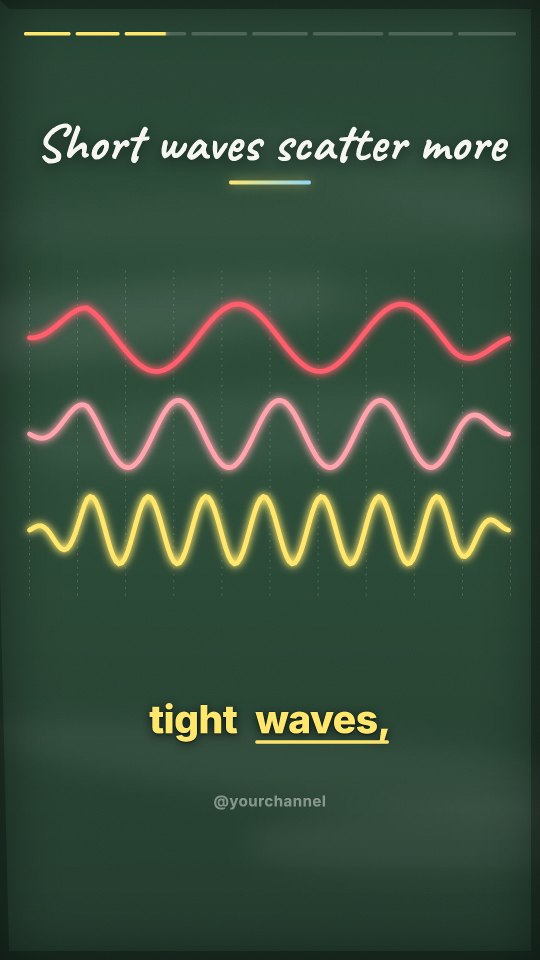
A frame in the chalkboard look: three waves of different lengths
A frame of a brand film: a sunrise over a planet's edge under a serif title
Specimens. Frames drawn by the renderer as it is now, in three of our looks.

The renderer we had to switch off

Note 01 ended with a renderer that drew our videos without a browser, 2.4 times faster. It went live on 31 October, and we switched it off the same evening: one failing export could take the server down with it. Exports went back to a browser.

That left two problems. The first was the fault, which is fixed and is not the subject here. The second was harder. Our server is small and shares its cores with everything else we run. Even a renderer twice as fast would have choked it. So the question changed from "how do we draw faster than a browser" to "how little work can a frame be, and where should that work happen".

Where a frame's time really goes

We timed every drawing step in a frame and sorted the steps by what they were for.

Figure 1What a frame's drawing time was spent on

Soft: glows, shadows, backgrounds · 85%15%Sharp: text, lines, shapes 15%
Share of the drawing time in one frame of our default look, averaged over 150 frames of a 60 s explainer on one laptop core. Soft means everything without an edge a viewer could point at.
Data
PartCountShare
Soft: glows, shadows, backgrounds8585%
Sharp: text, lines, shapes1515%

The things a viewer looks at are almost free. A line of text takes 16 millionths of a second. A shape, about the same. The time goes to what surrounds them: the glow around a drawing, the shadow under a caption, the soft background behind everything. The shadow under one line of text cost 120 times the text.

That was the finding. A video is read through its words and its drawings, and almost none of the cost is there.

What we are not going to describe

We rebuilt how our renderer makes the soft parts. This note does not say how. It took us two tries and a server outage to get here, and it is the part of this work that is ours.

What we can show is what came out, and how we made sure the picture did not change.

The picture had to stay the same

"Faster, with no loss of quality" needs a referee. Before changing anything we had a browser draw 485 frames of 23 videos, and compared ours with them after every step. A step that moved a frame away from the browser's was thrown out.

The first comparison was a surprise. Some of our frames were simply wrong.

Figure 2One frame, three renderers

The frame drawn by the browser: a one-line title, a logo in the top cornerA The browser
The frame from our renderer before: the title on two lines, no logoB Ours, before
The frame from our renderer now: matching the browserC Ours, now
A frame of a brand film. In the middle, our renderer before this work: the title wraps onto a second line and the logo in the corner is missing. Neither is about speed. Both were found by comparing frames with the browser's, and both are fixed on the right.

We found eleven differences that had nothing to do with speed: a title that wrapped where the browser's did not, a missing logo, a dropped space between two pieces of text, a language's name in its own script that came out as empty boxes.

Figure 3A glow that was a third as strong as it should be

The number 300,000 with a soft cyan glow, drawn by the browserA The browser
The same number from our renderer before: almost no glowB Ours, before
The same number from our renderer now: the glow is backC Ours, now
The number in a stat scene, with its glow. Our renderer had been drawing every glow of this kind too narrow and too faint. It went unnoticed until the frames were laid side by side.

Two of them had been hiding inside every glow we drew. Nobody had seen them, because nobody had put the two frames next to each other.

Figure 4Closer to the browser, case by case

BeforeNow0 dB10 dB20 dB30 dB40 dBBrand film26.536.0Our own promo26.532.3GTA style29.133.7Urdu, with maps31.935.6Chalk31.233.4Neon, the default31.833.3
Average PSNR of our frames against the browser's (higher is closer), before this work and after it, for the cases that moved most and the default look. Across all 23 videos and 485 frames the average rose from 31.0 to 33.5 dB, and the worst single frame from 17.4 to 25.8. No case got worse at any step.
Data
BeforeNow
Brand film26.536.0
Our own promo26.532.3
GTA style29.133.7
Urdu, with maps31.935.6
Chalk31.233.4
Neon, the default31.833.3

So the work on speed left the renderer more correct than it found it.

What came out

Figure 5The work to draw one frame, look by look

BeforeNow0 ms35 ms70 ms105 ms140 msChalk17131GTA style65122Brand film4287Cinema, with film grain1974Story in pictures1471Urdu, with maps4266Sketch1446Neon, the default2136Pop1922Clean1622
Milliseconds to draw a frame on one laptop core, before this work and after it, averaged over runs of consecutive frames across each video. The frames are the same; only the work changed.
Data
BeforeNow
Chalk13117
GTA style12265
Brand film8742
Cinema, with film grain7419
Story in pictures7114
Urdu, with maps6642
Sketch4614
Neon, the default3621
Pop2219
Clean2216

Drawing a frame now takes about half the work on average, and far less on some looks: chalk went from 131 ms a frame to 17.

A renderer that needs no browser can also leave our server. The drawing now happens in the cloud, and our server no longer draws a single frame.

Figure 6Drawing the same 60-second video in the cloud

Through a browser58.7 sOur renderer11.5 s5.1×
Time to draw and encode one 59.7 s video at 1080p on the same cloud, with the same encoder settings. Sound, joining and the finishing pass are not in these two numbers; they take the same time either way.
Data
Seconds
Through a browser58.7 s
Our renderer11.5 s

Figure 7What a minute of video costs to draw

Through a browser2.85¢Our renderer0.75¢3.8× less
Billed computing time at the cloud's published price, for the same video.
Data
US cents a minute of video
Through a browser2.85¢
Our renderer0.75¢

The same 60-second video that takes 58.7 s to draw through a browser takes 11.5 s, for 0.75 cents instead of 2.85. On a laptop, with no cloud at all, the same export went from 63 s to 25 s.

The first real export failed

We switched it on for our own accounts first, on the evening of 13 November. Forty-two videos were exported on the site that night. One of them was ours and took the new path.

It failed. The old path took over and finished the video, so nothing was lost but time.

The reason was dull. Right after an update, the cloud machines all ask our server for the same file in the same second, and the server answered some of them before the file was whole. Our own test had passed because we had fetched that file once, by hand, before running it. The test never saw what a real first export sees.

We fixed both ends: the server no longer hands out a file it is still writing, and a machine that receives a broken one asks again. Then we tested the way it is really used: cold, first thing after an update, with nothing warmed up. It held.

The lesson is older than this renderer. A test you prepared by hand tells you about the test.

Where it stands

It has been on for every account since 14 November.

Figure 8What a person waits for a one-minute explainer

Through a browser55 sOur renderer32 s
From pressing export to the finished file, sound and all, on our live site. Top: the median of the explainers exported through a browser on the evening of 13 November (17 videos, median length 61 s). Bottom: the first export through our renderer after an update, a 59.7 s video.
Data
Seconds
Through a browser55 s
Our renderer32 s

A one-minute explainer is ready in about half a minute, where it took about 55 seconds. That is less than the 5× in the drawing, because the sound, the joining and the finishing pass take what they took before. Those are next.

Stories told in pictures gained little, and 3D simulations are still drawn by a browser. Simulations did get faster in the same week, for a plainer reason: they are now drawn by many machines at once instead of one. That needed no research, only a larger allowance from the cloud.

Method

Videos
23: every example video as written, and one English and one Urdu video in each of five other looks. 485 frames were compared; the timed video is a 59.7 s explainer, 1,791 frames at 1080×1920.
Drawing work
One process on one core of a laptop, eight runs of twelve consecutive frames spread over each video, before and after.
Closeness
PSNR of each frame against the frame a browser draws for the same moment, checked again after every change.
Cloud
Cloud functions in one region, the same size and the same encoder settings for both renderers. Cost is billed time at the published price.
Live site
From our server's own records of every export: which renderer made it, and the time from start to finished file.

Limits

  • The method is left out on purpose. That makes this note impossible to check from outside: the numbers are our own measurements of our own renderer.
  • The cloud comparison is one video. Heavier looks cost more: a video full of maps about 1.5 cents a minute, our GTA style about 2.4.
  • What a person waits fell less than the drawing did (55 s to 32 s, not 5×), because the sound, the joining and the finishing pass take what they took before.
  • Stories told in pictures gained little: one 73 s story took 47 s. The slow camera move across each picture is most of their work and we have not made that cheaper.
  • 3D simulations, product videos, flat cartoons, stock footage and captioned uploads are still drawn by a browser.
  • The live numbers are from the first two days. PSNR counts pixel differences, not what a viewer notices; we also watched the exports side by side.

Notes

  1. PSNR (peak signal-to-noise ratio) compares two images pixel by pixel. 30 dB means the average pixel differs by about 3% of full brightness; 40 dB, by about 1%. ↩

Make a video and export it →

06 Product films10 Nov 20267 min An advert must show the product you sell We made six product adverts from one photo each, the way a seller would, and watched every frame. Four bugs surfaced, including a lint roller the system called a hair pick. 39 of 46generated pictures passed the check against the seller's photo 05 Visual selection9 Nov 20265 min A wrong picture is worse than none We rated the picture behind 11,751 explainer scenes in nine languages. One in four did not match the narration. How we measured it, what caused it, and what raised matches from 62% to 76%. 62% → 76%scenes whose picture matches the narration 04 Translation5 Nov 20264 min A billion is not a billion in Spanish Spanish billón, German Billion and French billion mean a million million. How we check every number when a video is rebuilt in another language: 8 of 8 planted errors caught. 8 of 8planted number errors caught 03 Speech5 Nov 20263 min Sixty seconds is a different length in every language Asked for 60 s, our videos came out 44–105 s. Measuring each language's voice per letter now lands 43–62 s in eleven languages, and a cloned voice took Arabic errors from 10% to 0. 44–105 s → 43–62 sasked for 60 s, in eleven languages